

WordPress Development: A Complete Guide to Building High-Performing Websites
In today’s digital-first business environment, having a professional website is essential for establishing credibility, attracting customers, and generating leads. WordPress development remains one of the most popular approaches to building business websites because it combines flexibility, scalability, content management capabilities, and a large ecosystem of themes and plugins.
From corporate websites and blogs to eCommerce stores, real estate websites, landing pages, and service-based businesses, WordPress can be customized to support a wide range of digital requirements.
However, installing WordPress and selecting a theme is only the beginning. Effective WordPress website development requires careful planning, responsive design, technical SEO, website security, performance optimization, content structure, and ongoing maintenance.
What Is WordPress Development?
WordPress development is the process of designing, building, customizing, optimizing, and maintaining websites using the WordPress content management system (CMS).
WordPress development can include:
- Custom website development
- WordPress theme customization
- Custom theme development
- Plugin installation and configuration
- Custom plugin development
- Website redesign
- Landing page development
- WooCommerce development
- API integrations
- CRM integrations
- Lead-generation forms
- Technical SEO implementation
- Website speed optimization
- Security configuration
- Website maintenance
A professionally developed WordPress website should not only look attractive but also provide a strong technical foundation for search visibility, conversions, and long-term growth.
Why Choose WordPress for Website Development?
WordPress is widely used because it provides businesses with considerable control over their websites without requiring them to build a CMS from scratch.
1. Flexible Website Development
WordPress can be adapted to different industries and business models. Developers can create everything from simple company websites to complex websites with custom functionality.
2. SEO-Friendly Structure
WordPress provides a strong foundation for SEO when properly configured. Developers can optimize website architecture, URLs, metadata, headings, internal links, structured data, images, page speed, and mobile usability.
However, simply using WordPress does not automatically make a website SEO-friendly. Technical implementation and content quality remain important.
3. Mobile-Friendly Websites
With most users accessing websites from smartphones and tablets, responsive design is essential.
Professional WordPress development ensures that layouts, navigation, images, forms, buttons, and content adapt appropriately to different screen sizes.
4. Easy Content Management
One of WordPress’s major advantages is its content management system. Businesses can publish and update pages, blog posts, images, and other content without needing to modify website code for every change.
5. Scalable Technology
A WordPress website can evolve as a business grows. New pages, services, integrations, features, and marketing campaigns can be added over time.
Custom WordPress Development vs. Pre-Built Themes
Businesses generally have two approaches when creating a WordPress website: customize an existing theme or develop a more customized solution.
Pre-Built WordPress Themes
Pre-built themes can reduce development time and may be suitable for businesses that need a relatively straightforward website.
Advantages can include:
- Faster initial development
- Lower development costs
- Ready-made layouts
- Existing design components
- Compatibility with common WordPress plugins
However, excessive customization of a theme can sometimes create unnecessary code, plugin dependencies, or maintenance challenges.
Custom WordPress Development
Custom WordPress development allows developers to create functionality and layouts around specific business requirements.
This approach can provide:
- Greater design flexibility
- Better control over functionality
- Custom user experiences
- Improved scalability
- More control over website performance
- Integration with business systems
The appropriate approach depends on the website’s objectives, budget, functionality, and long-term requirements.
WordPress Development and SEO
A website can have excellent visual design and still perform poorly in search engines if its technical foundation is weak.
An SEO-focused WordPress development strategy should consider the following areas.
Website Architecture
A logical website hierarchy helps both users and search engines understand the relationship between pages.
For example:
Home → Services → WordPress Development → WordPress Maintenance
A clear structure can also make internal linking easier.
SEO-Friendly URLs
Short, descriptive URLs can make pages easier to understand.
For example:
example.com/wordpress-development/
is generally clearer than a URL containing unnecessary parameters or meaningless strings.
Heading Structure
Pages should use headings logically to organize content.
The primary page topic generally belongs in the H1, while H2 and H3 headings can organize supporting sections.
Internal Linking
Internal links connect related pages throughout a website.
For a digital marketing agency, a WordPress development page could link to related services such as:
SEO services
Social media marketing
Lead generation
Content creation
Website design
Real estate marketing
This creates useful navigation pathways for both users and search engines.
Image Optimization
Large, unoptimized images can negatively affect website performance.
WordPress websites should use appropriately sized images, modern formats where appropriate, descriptive filenames, and useful alternative text.
Structured Data
Relevant structured data can help search engines better understand certain types of content.
Depending on the website, this may include appropriate schema for:
- Organization
- Local business
- Service
- Article
- Breadcrumb
- Product
- Event
- FAQ
Structured data should accurately represent the content visible on the page.
WordPress Website Speed Optimization
Website performance is an important part of the user experience.
A WordPress developer can improve performance through techniques such as:
- Image compression
- Browser caching
- Page caching
- Minification
- Reducing unnecessary plugins
- Optimizing database queries
- Using a content delivery network
- Improving hosting infrastructure
- Lazy-loading appropriate assets
- Removing unused scripts and styles
Performance should be measured rather than assumed. Tools such as Google PageSpeed Insights and other performance-testing platforms can help identify technical opportunities.
WordPress Security
Website security should be considered throughout the development and maintenance lifecycle.
Important security practices include:
- Keeping WordPress updated
- Updating plugins and themes
- Using strong administrator credentials
- Implementing appropriate user permissions
- Using HTTPS
- Maintaining reliable backups
- Monitoring suspicious activity
- Removing unused plugins and themes
- Using reputable extensions
- Protecting login and administrative areas
Security is not a one-time task. A website should be monitored and maintained continuously.
WordPress Development for Lead Generation
For businesses focused on sales, a website should do more than provide information.
It should help convert visitors into prospects.
A lead-generation-focused WordPress website can include:
- Contact forms
- WhatsApp integration
- Click-to-call buttons
- Consultation booking forms
- Downloadable brochures
- Newsletter subscriptions
- Property inquiry forms
- Landing pages
- CRM integrations
- Conversion tracking
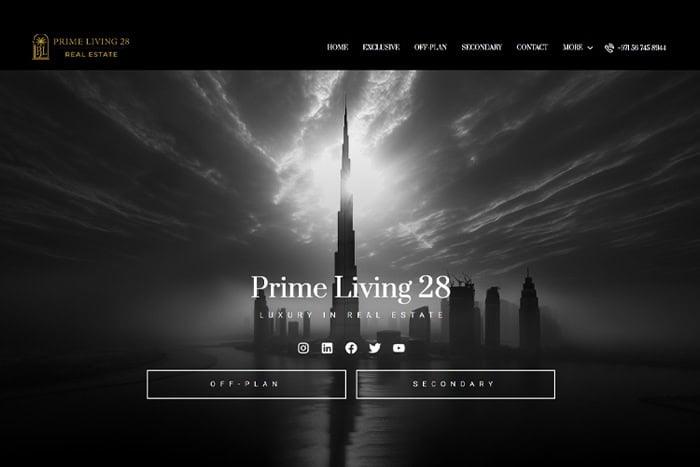
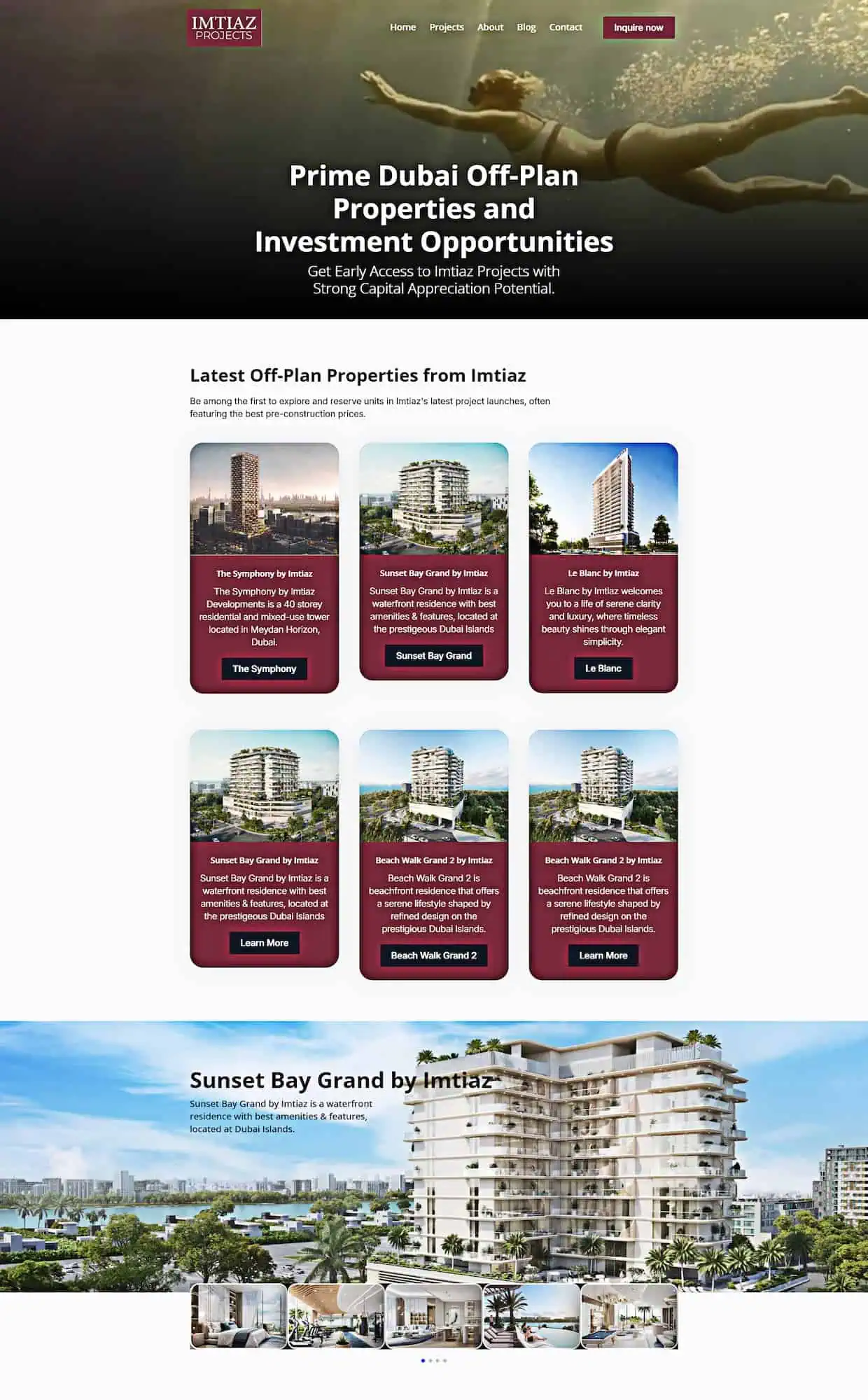
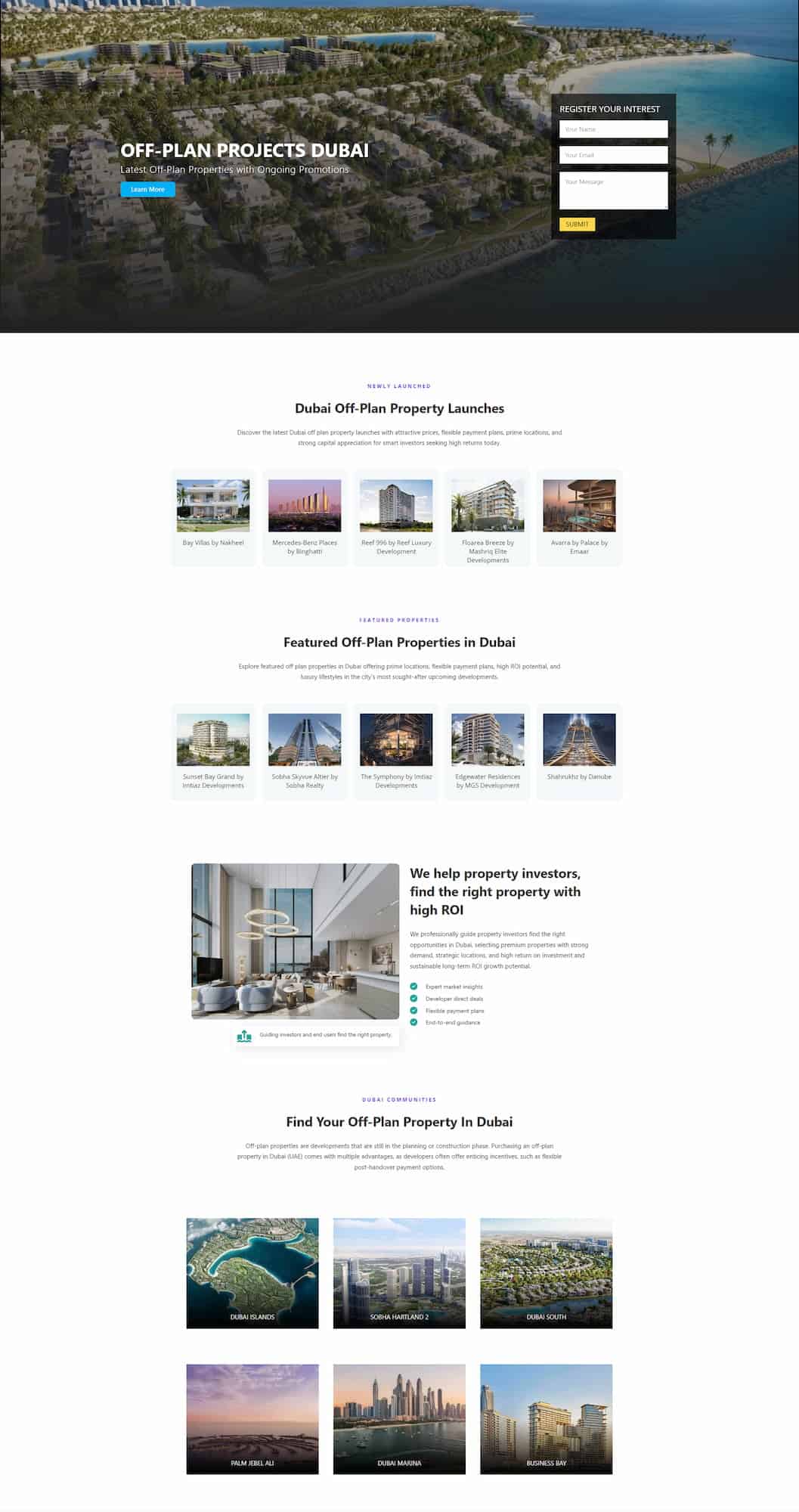
For example, a Dubai real estate website could create dedicated landing pages for individual developments, communities, property types, and investment opportunities.
Each page can target a specific search intent while providing visitors with a clear conversion path.
WordPress Development for Real Estate Websites
The real estate industry can particularly benefit from flexible WordPress development.
A real estate website may require:
- Property listings
- Advanced property search
- Location filters
- Property galleries
- Floor plans
- Agent profiles
- Mortgage information
- Lead forms
- WhatsApp integration
- Google Maps integration
- Community pages
- SEO landing pages
- Property comparison features
A properly structured website can also create dedicated pages targeting searches such as Dubai apartments for sale, Dubai luxury villas, property investment in Dubai, or specific communities and developments.
WordPress and WooCommerce
WordPress can also be extended into an eCommerce platform using WooCommerce.
WooCommerce development can support:
- Product catalogs
- Shopping carts
- Online payments
- Customer accounts
- Shipping options
- Inventory management
- Discount codes
- Product variations
- Order management
For businesses selling products online, WordPress and WooCommerce can provide a customizable alternative to building an eCommerce platform from scratch.
WordPress Plugins: Quality Over Quantity
One of the biggest advantages of WordPress is its plugin ecosystem.
Plugins can add functionality for:
- SEO
- Security
- Forms
- Analytics
- Caching
- eCommerce
- Backups
- Social media
- CRM integration
- Performance monitoring
However, installing too many plugins can increase complexity and potentially affect performance, compatibility, or security.
The objective should not be to install as many plugins as possible. Instead, businesses should use reliable, necessary, and well-maintained plugins that serve a clear purpose.
WordPress Maintenance
Launching a website is not the end of the development process.
Regular WordPress maintenance can include:
- Core updates
- Plugin updates
- Theme updates
- Security monitoring
- Backup verification
- Broken-link checks
- Performance monitoring
- Database optimization
- Content updates
- SEO audits
- Conversion tracking reviews
Ongoing maintenance helps keep a website functional, secure, and aligned with changing business requirements.
How to Choose a WordPress Developer
When choosing a WordPress developer or development agency, businesses should evaluate more than portfolio screenshots.
Consider:
Technical Experience
Look for experience with WordPress, responsive development, performance optimization, security, integrations, and SEO.
Portfolio
Review previous websites to understand the developer’s design and technical capabilities.
SEO Knowledge
A developer should understand how technical decisions affect search visibility.
Performance
Ask how the developer approaches Core Web Vitals, image optimization, caching, scripts, and hosting.
Security
Understand how updates, backups, access control, and security monitoring will be handled.
Scalability
The website should be capable of evolving as the business grows.
WordPress Development Process
A professional WordPress development project typically follows several stages.
1. Discovery
The business objectives, target audience, competitors, functionality, content, and conversion goals are identified.
2. Website Planning
The sitemap, page structure, navigation, user journeys, and technical requirements are defined.
3. Design
Wireframes and visual layouts establish the website’s appearance and user experience.
4. Development
The WordPress website is built, customized, and integrated with required tools and services.
5. SEO Implementation
Technical SEO elements, metadata, headings, URLs, internal linking, image optimization, and structured data are implemented as appropriate.
6. Testing
The website is tested across devices and browsers, with attention to forms, links, navigation, performance, and functionality.
7. Launch
After final quality assurance, the website is deployed to its production environment.
8. Maintenance and Optimization
Post-launch monitoring helps identify technical problems, SEO opportunities, conversion improvements, and new functionality requirements.
How Much Does WordPress Development Cost?
The cost of WordPress development varies significantly depending on the project’s requirements.
Factors include:
- Number of pages
- Design complexity
- Custom functionality
- Theme requirements
- Plugin requirements
- eCommerce functionality
- API integrations
- CRM integrations
- SEO requirements
- Content creation
- Hosting
- Ongoing maintenance
A simple business website may require considerably less development work than a large eCommerce platform, real estate portal, or custom web application.
Instead of focusing only on the initial development price, businesses should consider the website’s long-term value, maintainability, performance, security, and ability to generate leads or sales.
WordPress Development Trends
The WordPress ecosystem continues to evolve alongside broader web development trends.
Businesses are increasingly focusing on:
- Faster websites
- Mobile-first experiences
- Headless and API-driven architectures
- AI-assisted content workflows
- Automation
- Personalized user experiences
- Improved accessibility
- Advanced analytics
- Conversion-focused landing pages
- Stronger website security
AI is also becoming increasingly relevant to WordPress workflows, including content ideation, image creation, automation, customer interactions, and website management. However, AI-generated content and functionality still require human oversight, accuracy checks, and strategic direction.
Why SEO and WordPress Development Should Work Together
SEO should not be treated as something added after a website has been built.
Development decisions can directly affect search performance.
Website architecture, page speed, mobile responsiveness, URL structures, indexing, internal linking, JavaScript implementation, image optimization, and technical accessibility can all influence the quality of a website’s search experience.
For this reason, combining WordPress development and SEO from the beginning can create a stronger foundation for organic growth.

Conclusion on WordPress Development
WordPress development provides businesses with a flexible foundation for creating modern websites that can support branding, SEO, content marketing, lead generation, eCommerce, and long-term digital growth.
The most effective WordPress websites combine attractive design with technical performance, security, responsive functionality, search-friendly architecture, useful content, and clear conversion paths.
Whether you need a new business website, a WordPress redesign, an SEO-focused website, a real estate platform, an eCommerce store, or ongoing WordPress maintenance, development should begin with the business objective rather than the technology alone.
A well-planned WordPress website can become more than a digital brochure, it can become a central platform for visibility, lead generation, customer engagement, and business growth.
Leave A Comment